
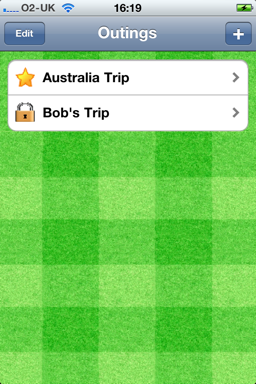
The Outings page consists of the bar at the top and a list of outings, in turn:
“Edit” switches to a mode where you can delete one or more Outings from your device.
“+” creates a new Outing and takes you to the Edit page.
The list of Outings are shown in date order from the oldest at the top to the newest at the bottom.
Each Outing in the list consists of an icon (Star or Padlock) and the name of the Outing.
The Star indicates that you created the Outing and are able to edit it.
The Padlock indicates that you have received the Outing by email and it is locked, ie you can view it but cannot edit it.
Tapping on an Outing in the list takes you to the Edit page.